Rise of Kingdoms on PC: Is It Worth Playing in 2026?
Lilith's real-time strategy game now has an official Windows client. Here's what changes when 15 civilizations, real-time kingdom wars and alliance politics get a full-size screen.
TBy Tom Becker·Sep 25, 2026·5 min
Rise of Kingdoms · Rig&Play
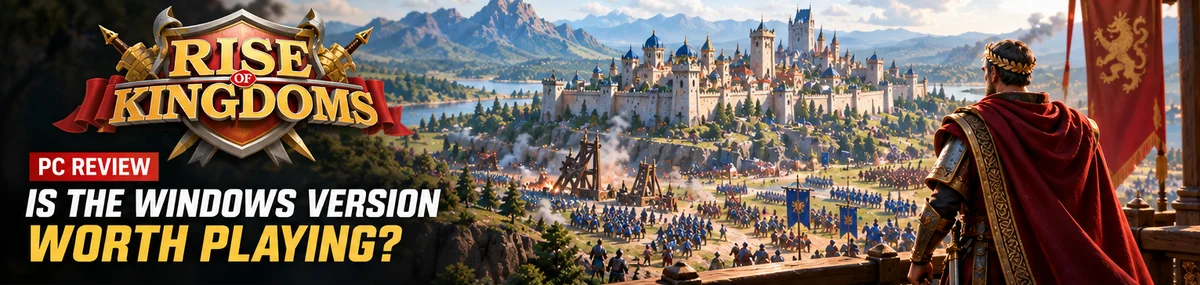
Rise of Kingdoms has been one of the biggest strategy games on mobile for years, and its official PC version quietly changed what it feels like to play. Same persistent world, same commanders, same alliance wars, but on a monitor with a mouse the whole thing finally opens up. Here's why so many players moved their kingdom to PC.
A world map that finally fits on one screen
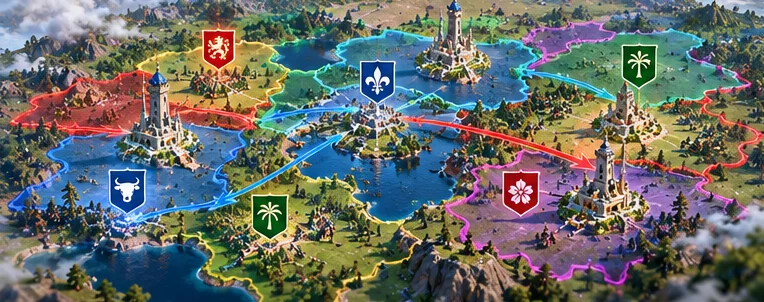
Kingdom vs. Kingdom: hundreds of marches on one continuous map
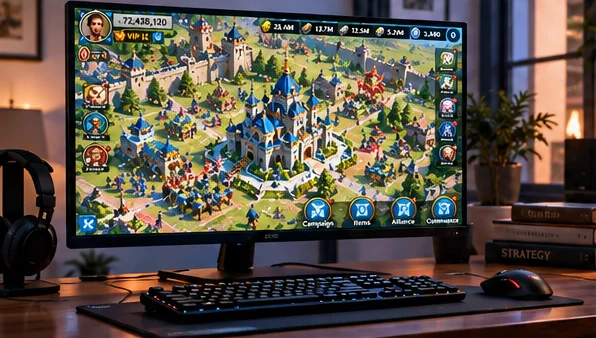
Everything in Rise of Kingdoms happens on one continuous strategic map: cities, resource nodes, passes, forts, friendly armies, enemy marches and rally markers. On a phone you zoom in and out constantly and lose the picture. On a 24-inch monitor you see the whole front at once, and reading the battlefield becomes the actual skill instead of fighting the interface.
Official PC client, no emulator needed
The official Windows client: your city on a full-size monitor
You don't need BlueStacks or any third-party Android emulator. Lilith ships a native Windows client with keyboard shortcuts, background updates, and a layout that keeps alliance chat on screen while you command your armies. Install it, sign in with your existing account and your kingdom is exactly where you left it. It's a free download for Windows 10 and 11.
15 civilizations and real historical commanders
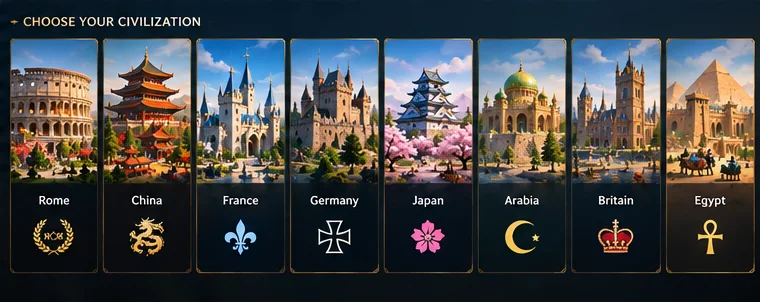
Choose your civilization: each one changes your units, buildings and bonuses
Pick from 15 civilizations, from Rome and China to Egypt, Greece, Maya and Carthage, each with its own bonuses, architecture and unique units. Then build your roster of historical commanders, each with skills, talent trees and pairings that decide how your armies actually fight. There is no single best faction; there's the account you decide to build.
Real-time battles, not waiting timers
Gather, build, march: combat resolves live on the map
Battles in Rise of Kingdoms happen in real time on the open map. Armies can join or leave a fight while it's happening, marches can be redirected mid-route, and a well-timed reinforcement flips an engagement. With a mouse you manage three or four marches at once without breaking a sweat, which is exactly where the PC version pulls ahead.
Alliances are the actual game
Coordinated rallies and reinforcements decide who owns the kingdom
Alliances in Rise of Kingdoms aren't decorative guilds. Territory, rallies, reinforcements and coordinated attacks are the strategic layer, and an active alliance with 40 people online at the right moment beats a lone powerful account. Long evening sessions coordinating a Kingdom vs. Kingdom war are simply easier to run from a desk.
Free to play, and honest about it
Rise of Kingdoms is free to download and play, with optional in-game purchases. Spending speeds up progression and buys real power, so a heavy spender will out-muscle a free player one on one. But wars are won by alliances, not individuals: an active, coordinated free player in a good alliance matters more to a KvK result than an inactive whale. You can play for free and never open the shop.
So, is Rise of Kingdoms worth playing on PC?
For strategy players who like persistent worlds, absolutely.
A single continuous world map that finally makes sense on a big screen
15 civilizations and dozens of historical commanders to build around
Real-time battles where positioning and timing matter more than raw power
Alliance warfare with genuine diplomacy, territory and coordination
An official Windows client with cross-save, so your mobile progress carries over
The first hour is city building and tutorials before the map really opens up, so give it an evening. Players who dislike timers or persistent progression have fair reasons to look elsewhere, but if you enjoyed any alliance-based strategy game, this is the PC version to try.
Ready to try Rise of Kingdoms on PC?
Dozens of historical commanders to build your account around
Rise of Kingdoms brings city building, historical commanders, real-time warfare and alliance politics together in one persistent world, and it's completely free to play on PC. With the current catch-up boosts for new governors still active, there's a good reason to jump in now.
T
Tom Becker
Reviews editor
Fifteen years of gaming. Finishes every game before scoring it. Honest verdicts, no publisher pressure.
Play now
Ready to jump into Rise of Kingdoms?
Start playing Rise of Kingdoms for free on PC — official Windows download, no emulator, no cost to try.
We use cookies. They help us measure our audience and fund the site with advertising. You can accept, decline or manage your choices in our Cookie Policy.




 Setup
Setup